
Explore the interactive demo
Step inside a church that runs on Atrium.
Meet Riverside Community Church, a fictional congregation. Explore as a member, try real features, and see how your own church could use Atrium.
No sign-up. Your private demo lasts 2 hours, then resets automatically.
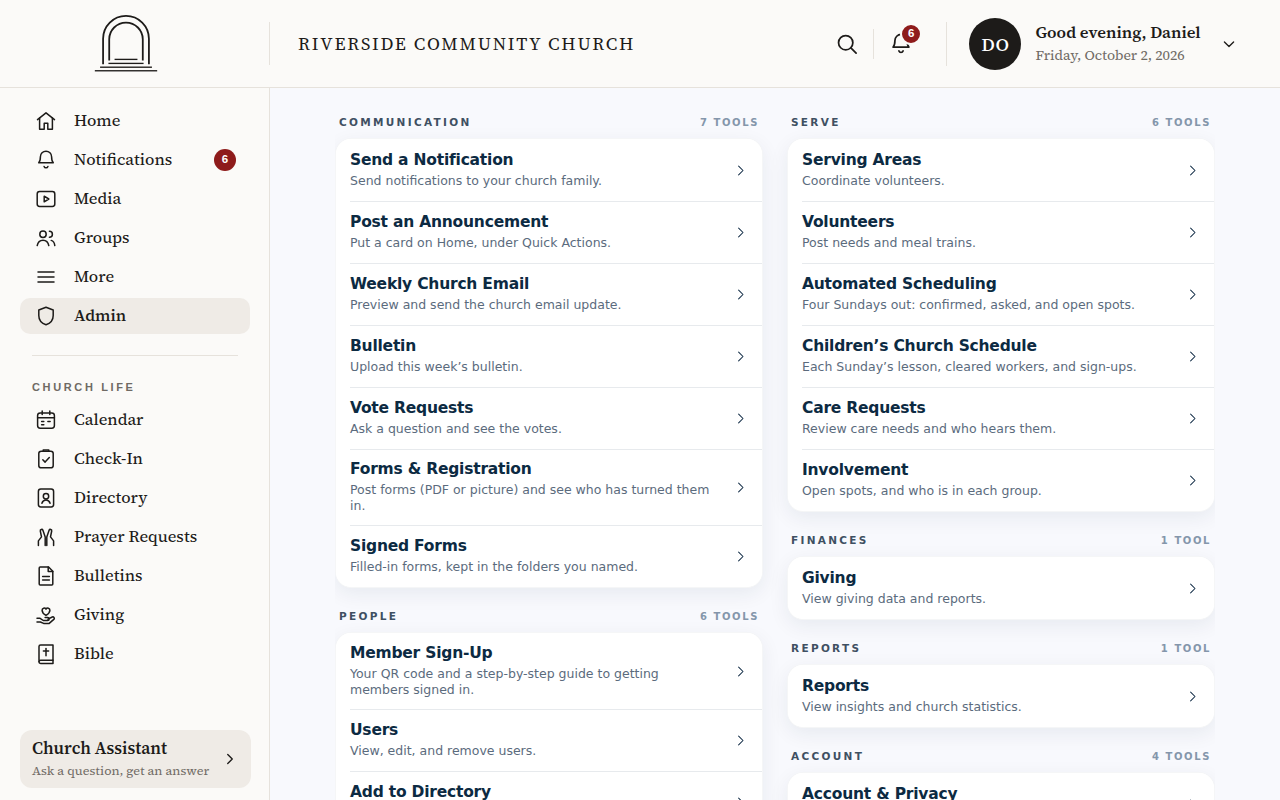
Actual app screens. All sample information is fictional.
The member experience
What you can try
Directory
26 households with phones, addresses, birthdays and anniversaries, all searchable.
Groups & chat
Men’s and Women’s Ministry, life groups with leaders and real conversations to join.
Give
A household’s giving history, fund by fund, and its year-end statement.
Calendar & RSVPs
The Fall Festival, a men’s breakfast, a potluck: RSVP for your family.
Prayer
Pray for requests, and post one of your own.
Watch Live
The countdown to Sunday’s live service.
Children’s check-in
Check Mia and Leo in, and see how pickup codes keep them safe.
Forms & sign-ups
A retreat registration and a permission slip to fill out and sign.
Serving
Volunteer openings to claim, and the Sunday serving schedule.
Bible & classes
Read Scripture in the app and browse the church’s Bible classes.
The leader experience
A closer look at church administration
The demo is the member’s app. Leaders also get an Admin side, locked behind a check on the leader's own phone or an authenticator app, so here is a short tour of it, taken from the same made-up church.
-
One dashboard
Everything a church office does, in one place: people, groups, giving, events and messages.
-
Giving totals
This year, this month, any date range, by fund and by household. With Atrium Accounting (in pilot), import a donations report exported from QuickBooks, and review it before it is added.
-
Reach everyone
Send a notification or an email to the whole church, chosen groups, families or people.
-
Members & approvals
New families ask to join; you approve them, and their logins are ready.
-
Children’s check-in
A live roster for the classroom, allergy notes, approved guardians and spoken pickup codes.
Ready for your own?
A setup wizard walks you through it. Your members sign in with your Church ID.